Installation
How do I install the app?
MindCraft is available for both iOS and Android devices. During your baseline appointment, the research team will provide you with a unique study ID. You can download the app in advance of your baseline appointment or during the baseline appointment, as you prefer:
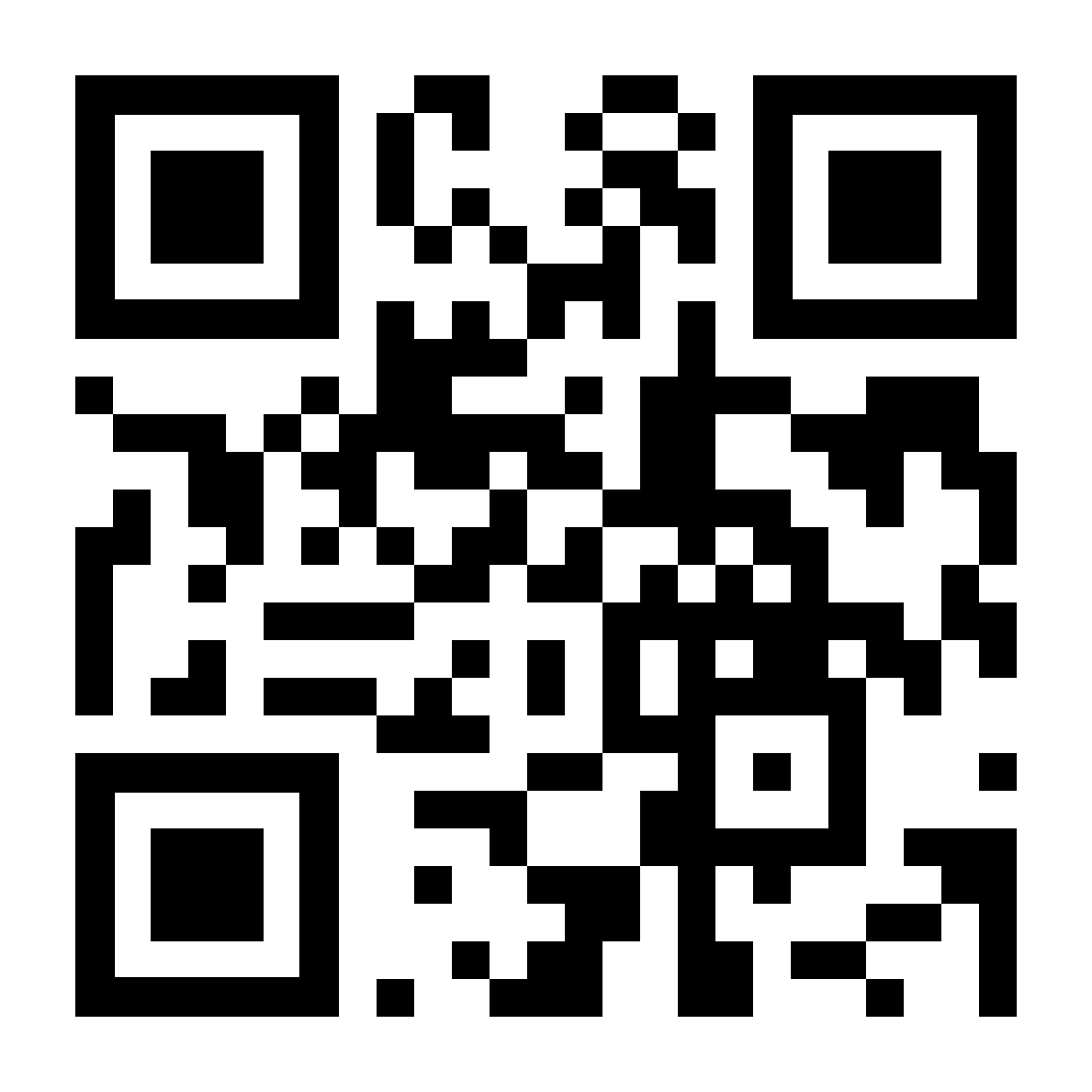
- iPhone Users: Download the app from the Apple App store at https://bit.ly/4iKv3LT
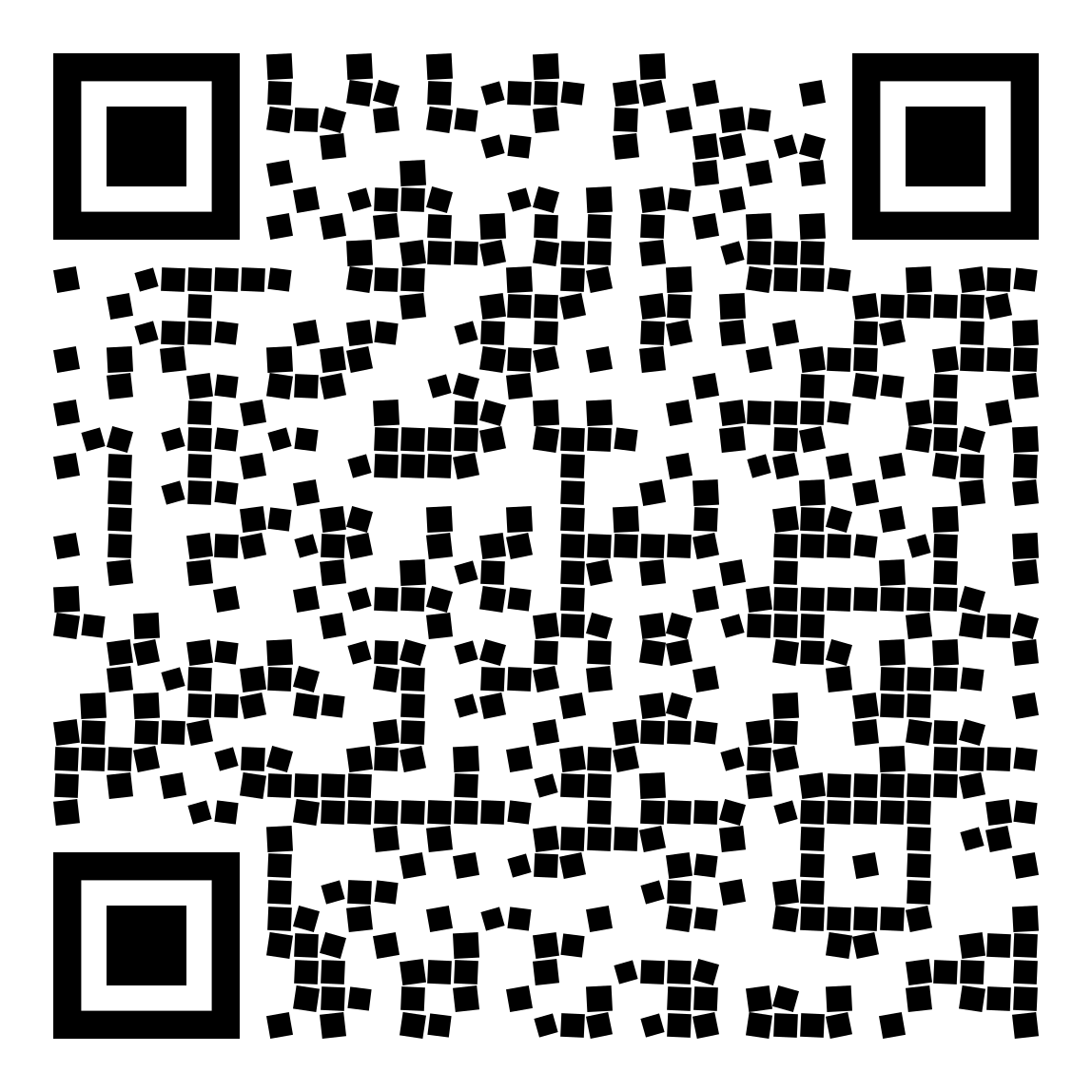
- Android Users: While we are working to have the App on the Play store, you can install the app directly via the apk file from https://drive.google.com/file/d/1ZzEfC9QNrgT7nLR4IcKjJ128OrpLo0E4/view?usp=sharing. Please follow the below instructions at https://tinyurl.com/mcapkinstall to install the app via the apk file.
If you are reading this from your computer, you can scan the QR codes below to access the download links directly on your phone:
How do I setup the app for the first time?
Setting up the app is very easy. Once you have downloaded the app, follow these steps:
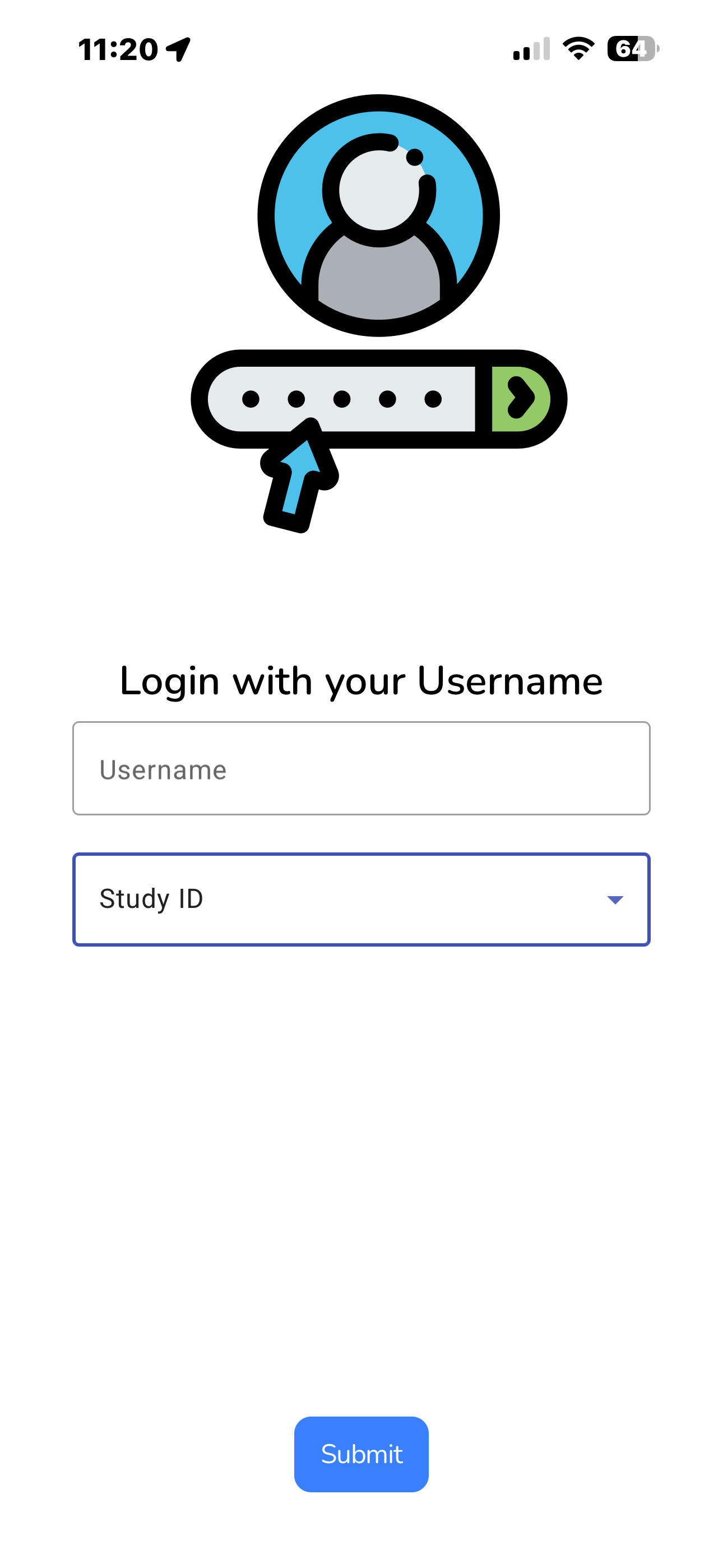
Enter Study ID
When you launch the app for the first time, enter the Study ID provided by the research team. Remember that the ID is case-sensitive and can only be used once.
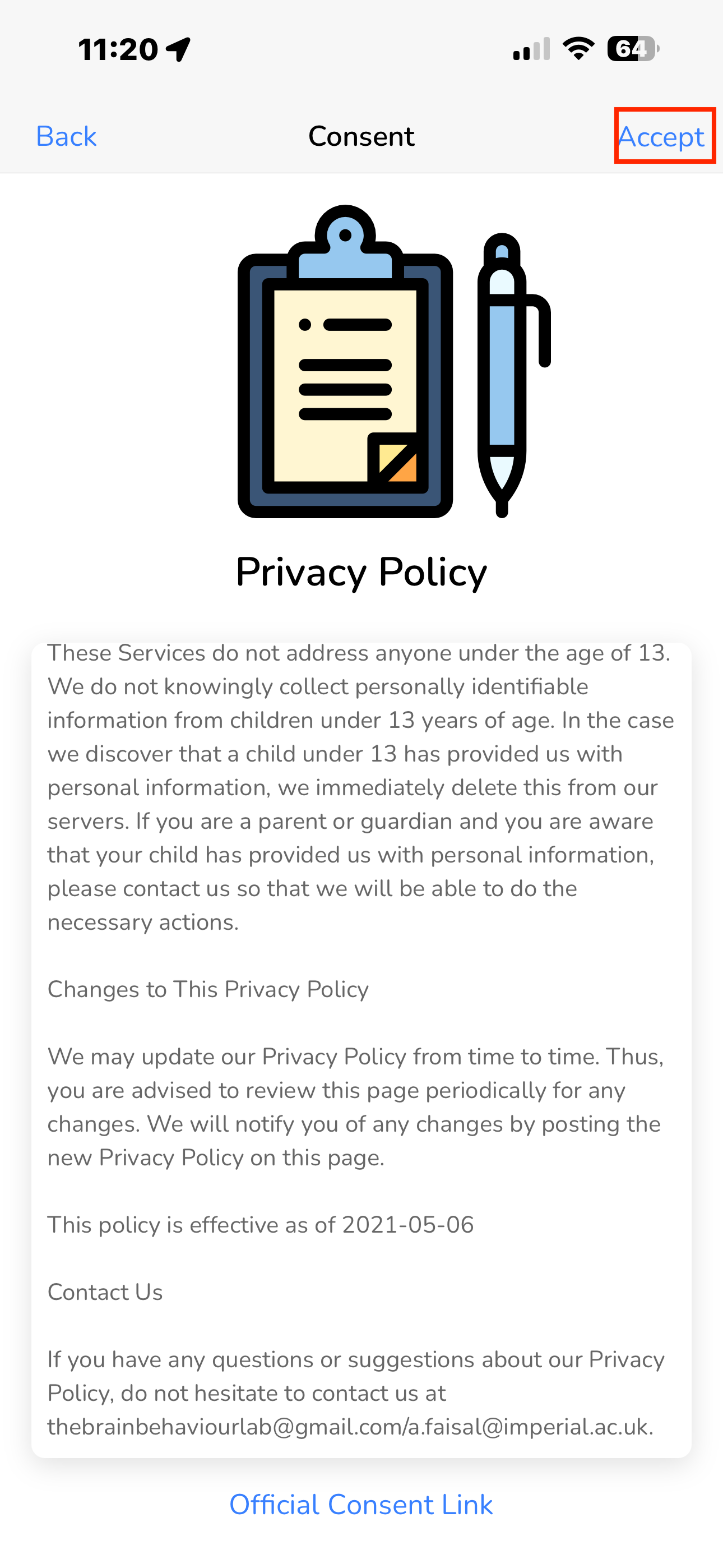
Accept Privacy Policy
Read through the privacy policy and tap 'Accept' to proceed. This ensures you understand how your data is protected.
Configure Permissions
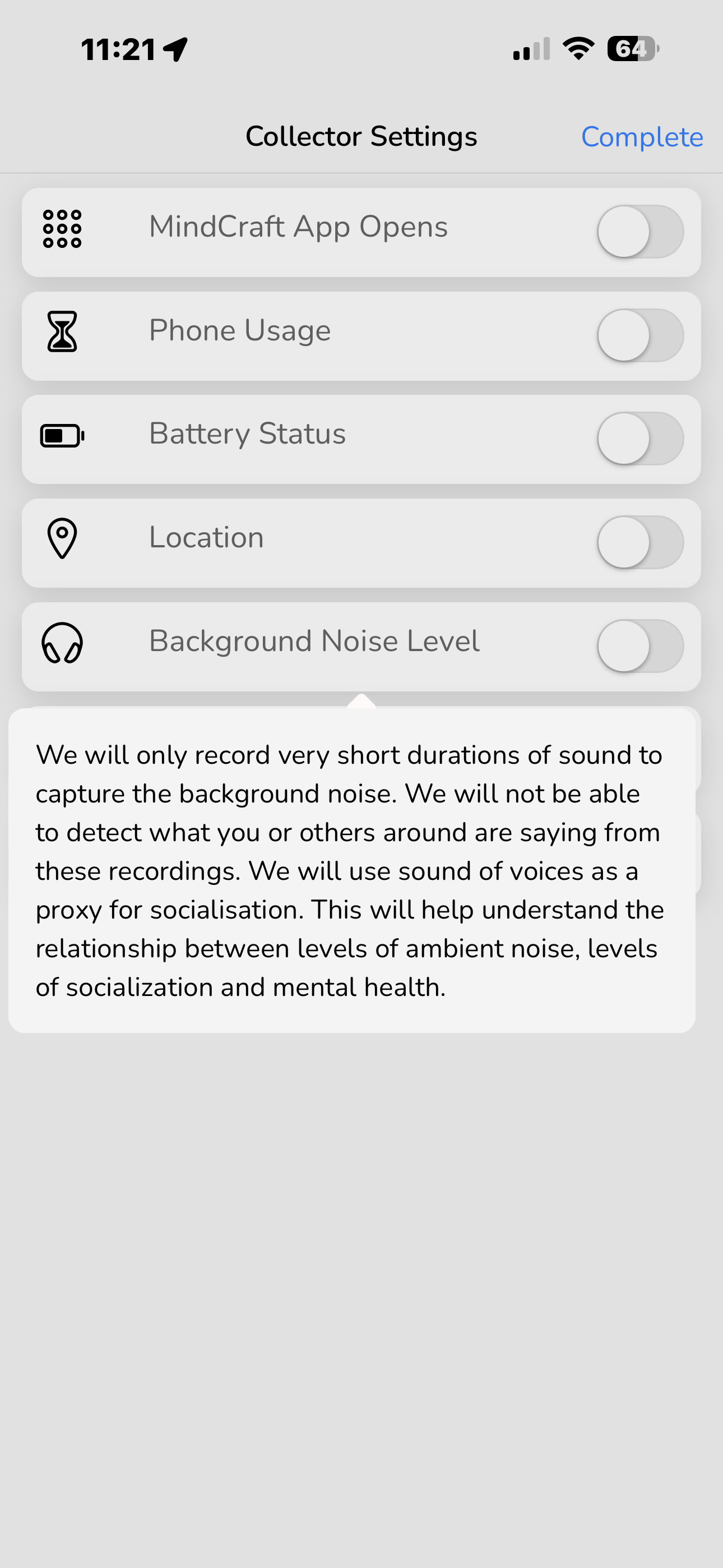
Allow the app to collect data. You can customize these options. Follow your phone's prompts to grant necessary permissions (like the microphone for Background Noise Level). Selecting an option will display details regarding the specific data collected and its intended use. You may review and update your selections at any time.
Background Data
The table below shows the background data that is collected by the app. You can review and update your options at any point (see below for details). The information in the table is also available to you on the MindCraft app by clicking on the different option names.
| Background Data | Description |
|---|---|
| MindCraft App Opens | Amount of time MindCraft is opened. This is to assess involvement of the user in the study |
| Phone Usage | We use this as a proxy of how much you use your mobile phone. This will help us understand the relationship between how often and for how long you use your phone and mental health. |
| Battery Status | We use this as a proxy of how much you use your mobile phone. This will help us understand the relationship between how often and for how long you use your phone and mental health. |
| Location | This will help us understand the relationship between how far and how much you move around geographically and mental health. |
| Background Noise Level | We will only record very short durations of sound to capture the background noise. We will not be able to detect what you or others around are saying from these recordings. We will use sound of voices as a proxy for socialisation. This will help us understand the relationship between levels of ambient noise, levels of socialisation and mental health. |
| Steps | This activity tracker provides an estimate of your general movement levels. This will help us understand the relationship between daily physical activity and mental health. |
| Ambient Light | We use this as a proxy of how much you use your mobile phone. This will help us understand the relationship between how often and for how long you use your phone and mental health. |
How do I review and change my data sharing preferences?
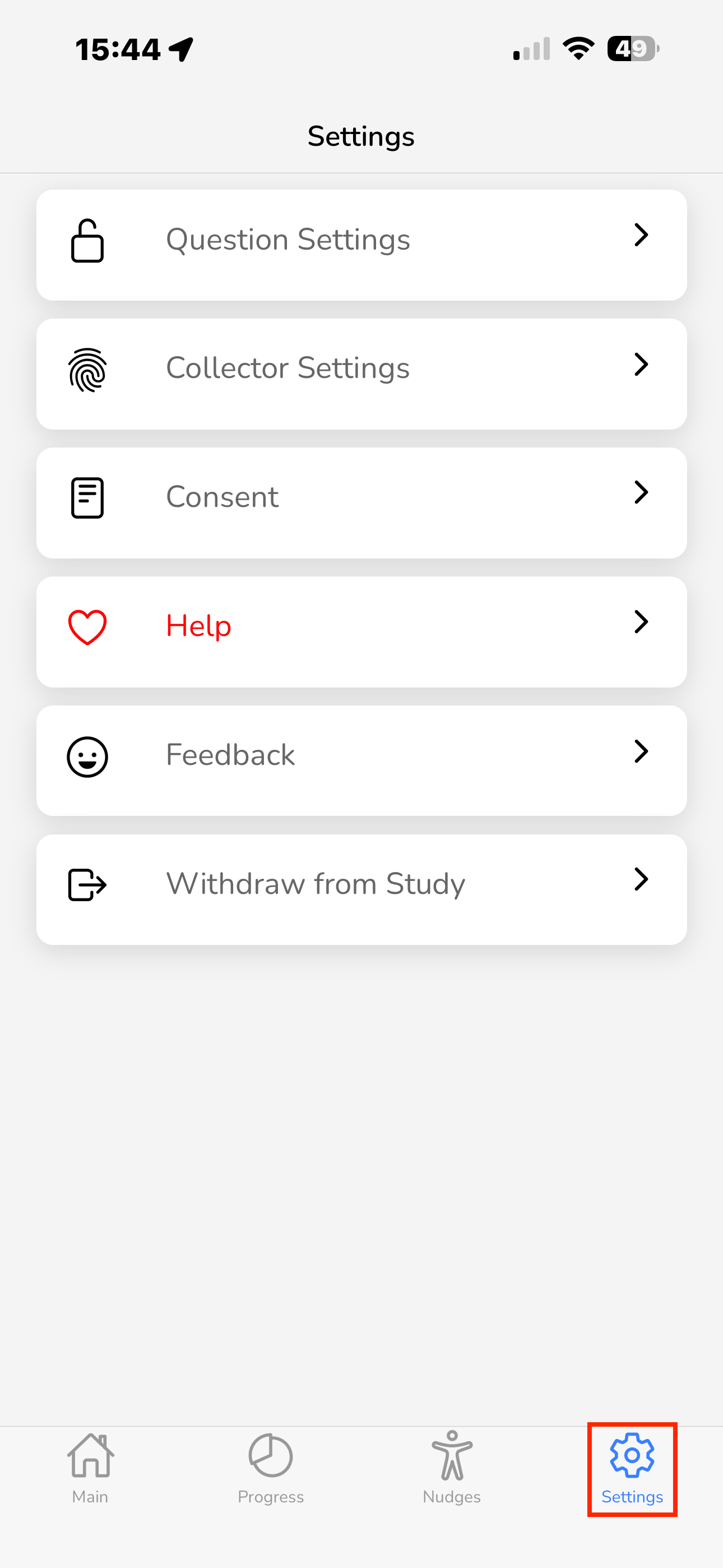
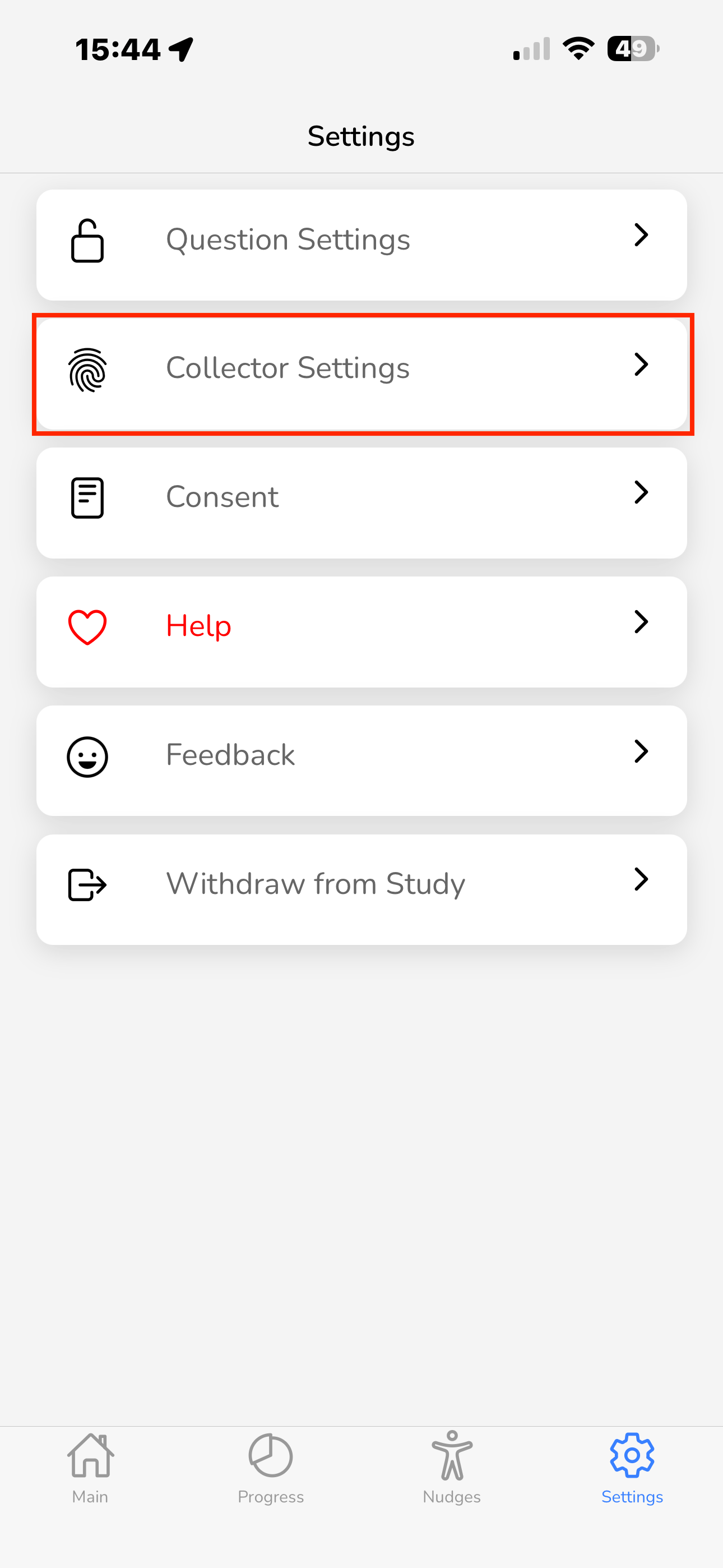
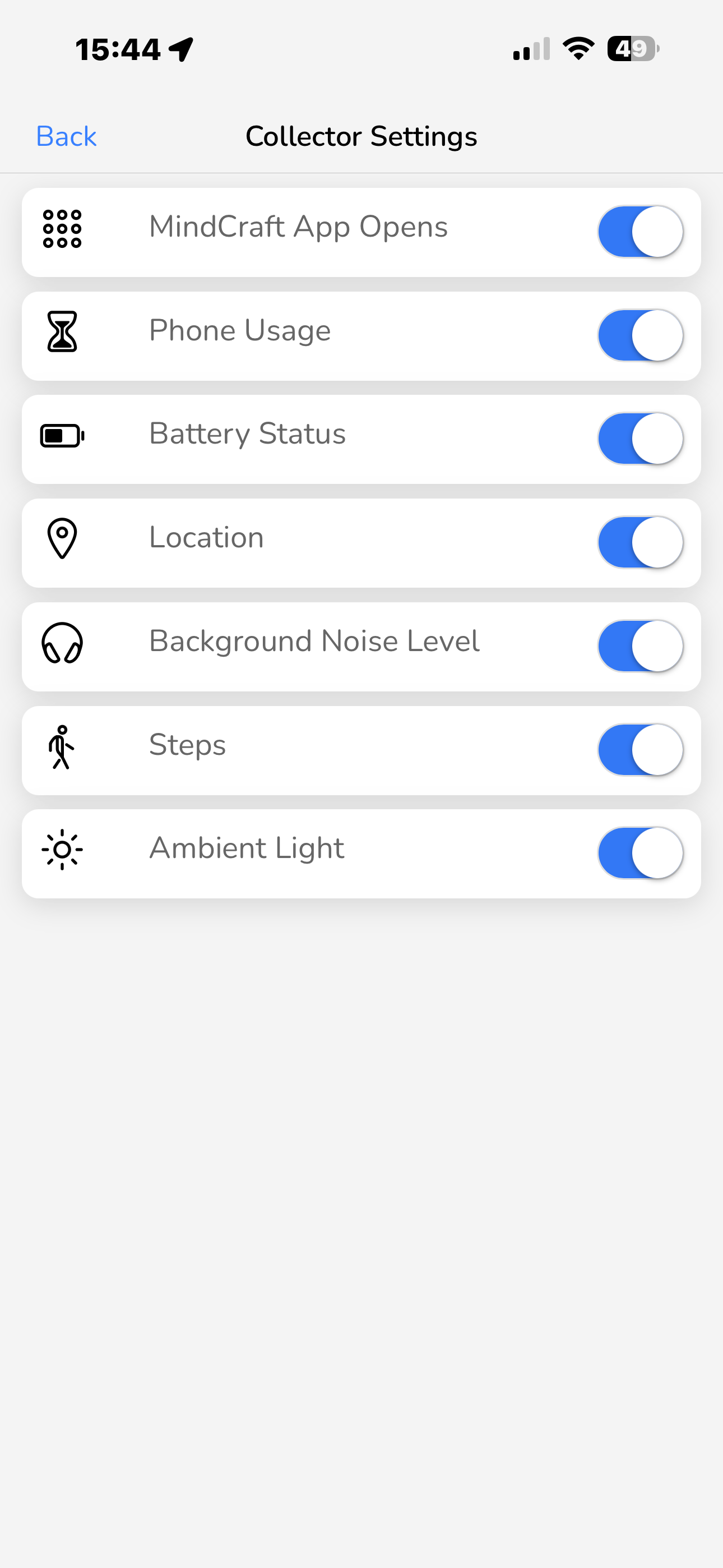
You can review and manage your data-sharing preferences at any time directly within the MindCraft app. To adjust these, open the app, navigate to Settings, and select Collector Settings. From here, you can toggle individual data options on or off based on your preference.
Please keep in mind that these settings directly affect the data available for the study. The more consistent and comprehensive the data shared, the better we can understand the patterns of bipolar disorder. However, your comfort is our priority—if there is any data you feel uncomfortable sharing, please feel free to turn it off at any time.
Daily Surveys
For the first four weeks of the study, MindCraft will send you two notifications per day—one in the morning and one in the evening—asking you to complete brief surveys within the app. Upon receiving a notification, please open the app and respond to the questions. Completing the survey takes less than 5 minutes and involves moving sliders, entering numbers, and clicking buttons. As you answer each question, it will disappear from the list, leaving only those that still require a response.
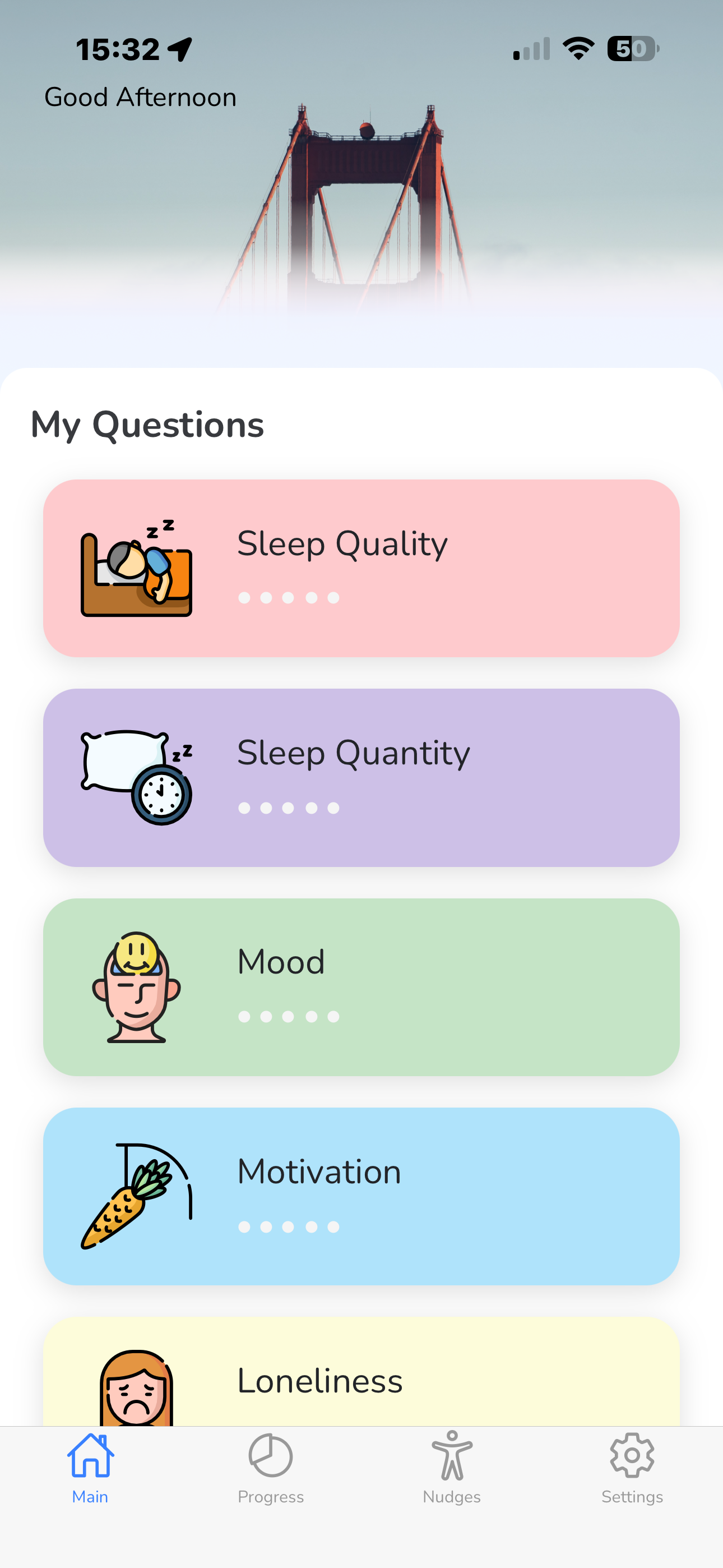
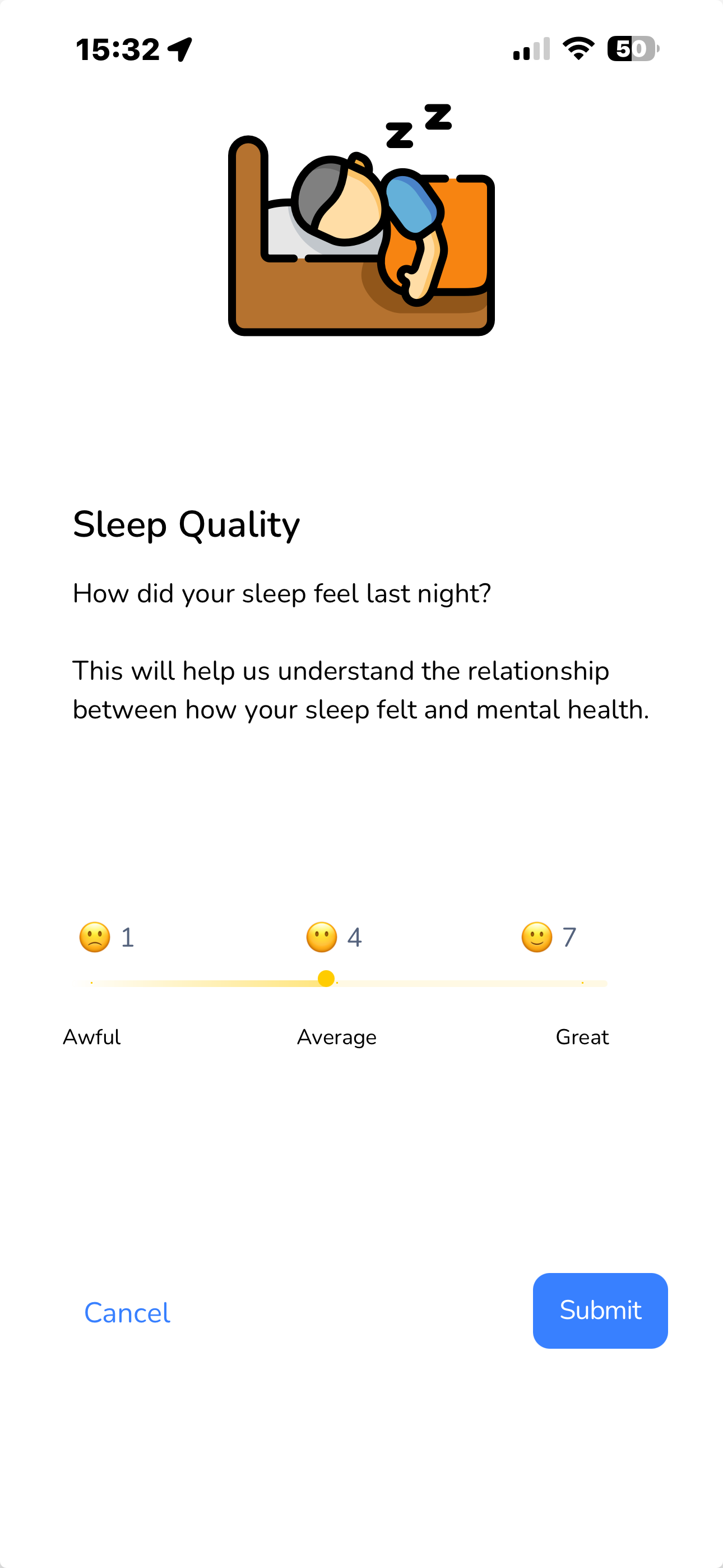
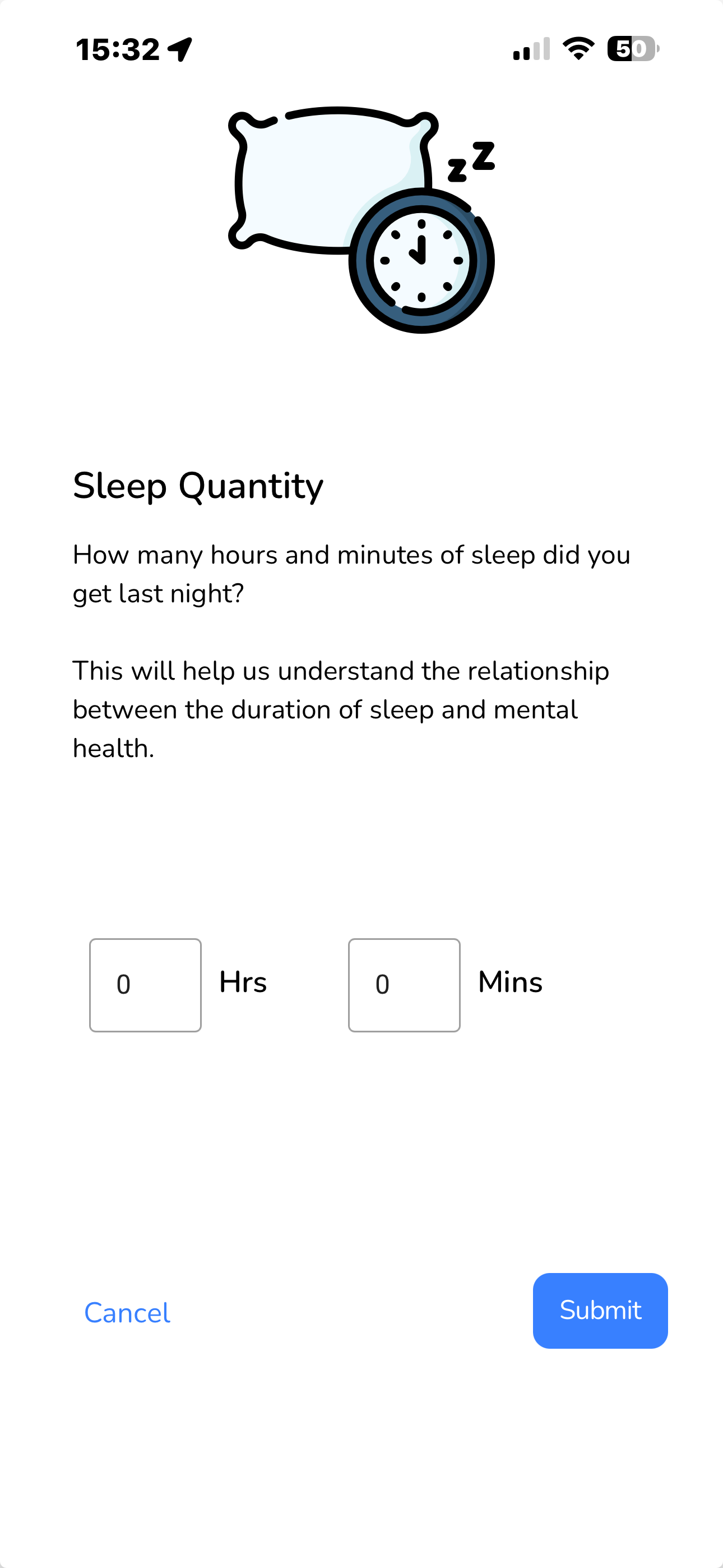
After the initial four-week period, these survey prompts will automatically stop.
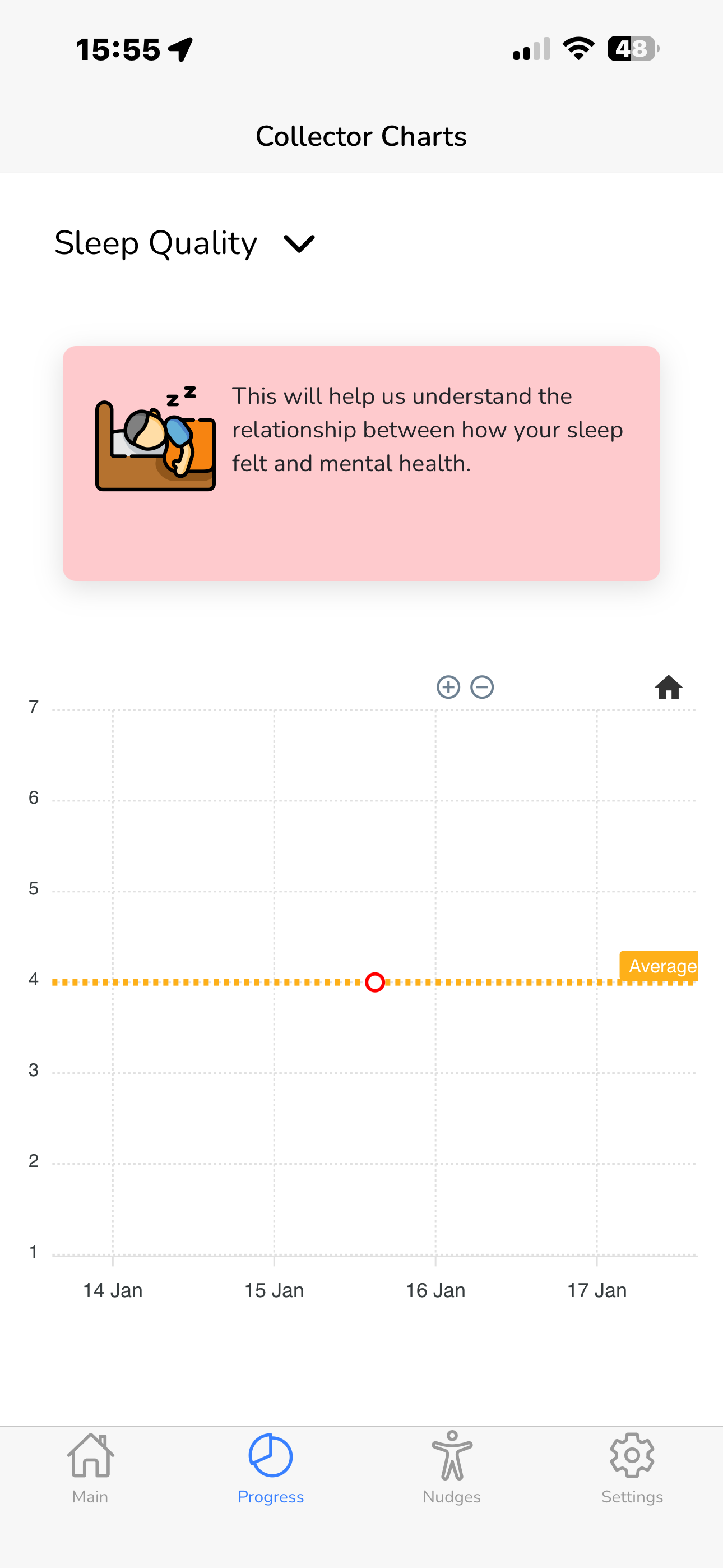
If you click on the 'Progress' tab, you will be able to see your responses so far. Click on the down arrow to select which surveys you'd like to view.
Contact Us
Thank you for participating in this research and helping us study and improve the mental health of people living with bipolar disorder.
If you have any questions, concerns, or need assistance regarding MindCraft or any other aspect of the study, we are here to help.
Please reach out to us using the contact details below. Alternatively, if you prefer, please leave your contact email and your message in the boxes below and click on 'Send email'. An email will be sent to the research team at the email address below through the GDPR-compliant (General Data Protection Regulation) Formspree service.